How to Automate KGR Keyword Research (Step-by-Step)
How to Automate KGR Keyword Research (Step-by-Step)

Let's be honest: manually calculating KGR for hundreds of keywords is mind-numbing work.
You open Google, type "allintitle:", count the results, check search volume, do the math, repeat. After the 50th keyword, your eyes glaze over. After the 100th, you're questioning your life choices.
There's a better way.
Why Automate KGR Research?
Here's what manual KGR research actually looks like:
You've got 500 keywords in a spreadsheet. For each one, you need to:
- Search "allintitle:your keyword" on Google
- Count the results (hope you didn't miscount)
- Look up search volume in Keyword Planner
- Calculate KGR = allintitle ÷ search volume
- Mark it green if < 0.25, red if not
At 10 minutes per keyword, that's 83 hours. Over two full work weeks. Just. Counting. Numbers.
According to real user data from Reddit's r/SEO community, manually researching and assigning keywords to just 78 URLs takes approximately 780 minutes—that's 13 hours of repetitive work. When you're dealing with thousands of keywords, manual calculation simply doesn't scale.
The Real Cost
In a real case shared on Reddit's r/blackhatseo, one user needed to analyze 50,000 keywords for their niche site. At 10 minutes per keyword manually, that would take 8,333 hours. With automation using tools like EagleKGR or Allintitle.co, the same task completes in under 2 hours—a 4,000X time saving.
Now imagine this: you install EagleKGR Chrome extension, search for your first keyword on Google, and the KGR value appears instantly. Right there in your browser. No copy-paste, no spreadsheet, no calculator.
That's not a fantasy. That's automation.
The 5-Step Automation Workflow
Step 1: Define Goals and Collect Seed Keywords
Before you automate anything, ask yourself: what am I actually trying to find?
Are you building a niche site that needs 100 quick-win keywords? Or researching for a client who wants to dominate a specific category? Your goal shapes everything else.
Once you know that, grab 20-50 seed keywords. Don't overthink it—just brainstorm terms your audience would search for.
According to Affiliate Booster's proven workflow, effective seed keyword collection should cover four categories: (1) best-of buying guide keywords, (2) product comparison keywords, (3) how-to keywords with clear tool intent, and (4) specific product review keywords. This framework, tested across multiple affiliate sites, typically generates 40-50 high-quality seed terms per niche.
Example seed keywords for a coffee niche:
- best espresso machine under 500
- how to clean nespresso machine
- breville vs delonghi espresso maker
- nespresso vertuo plus review
Step 2: Choose Your Automation Tool
Tool choice depends on three things: your budget, your workflow, and how many keywords you're dealing with.
Need real-time checking while browsing? EagleKGR Chrome extension. Install it, search on Google, see KGR instantly.
Need to process 1,000+ keywords at once? Allintitle.co bulk checker. Upload CSV, get results in minutes.
Got coding skills? Build your own with Google Ads API. Most flexible, but takes time to set up.
Pick what fits. You can always upgrade later.
Based on analysis from RankPill's 2025 automation guide, the best KGR automation tools share three characteristics: (1) real-time SERP data access, (2) bulk processing capability (1,000+ keywords), and (3) accurate allintitle counting. Tools like EagleKGR and Allintitle.co meet all three criteria, while basic keyword tools often lack accurate allintitle data.
Step 3: Bulk Allintitle Data Collection
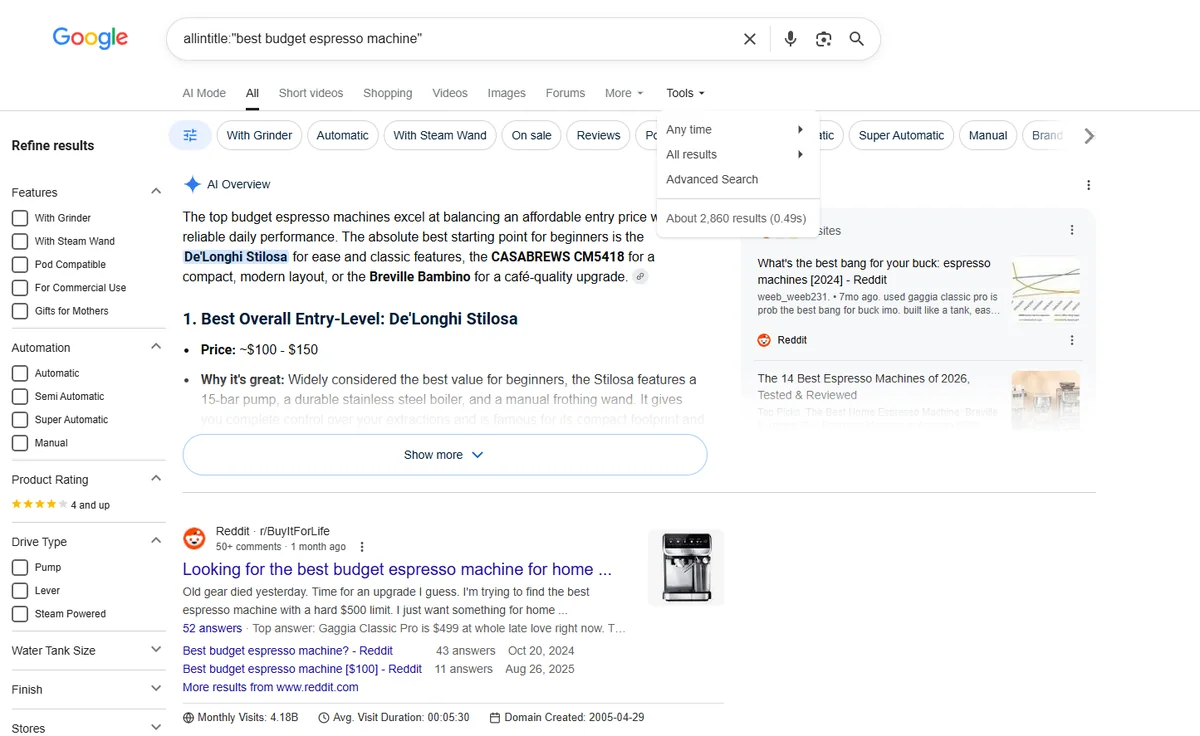
Quick refresher: "allintitle:" tells Google "show me pages with ALL these words in the title."
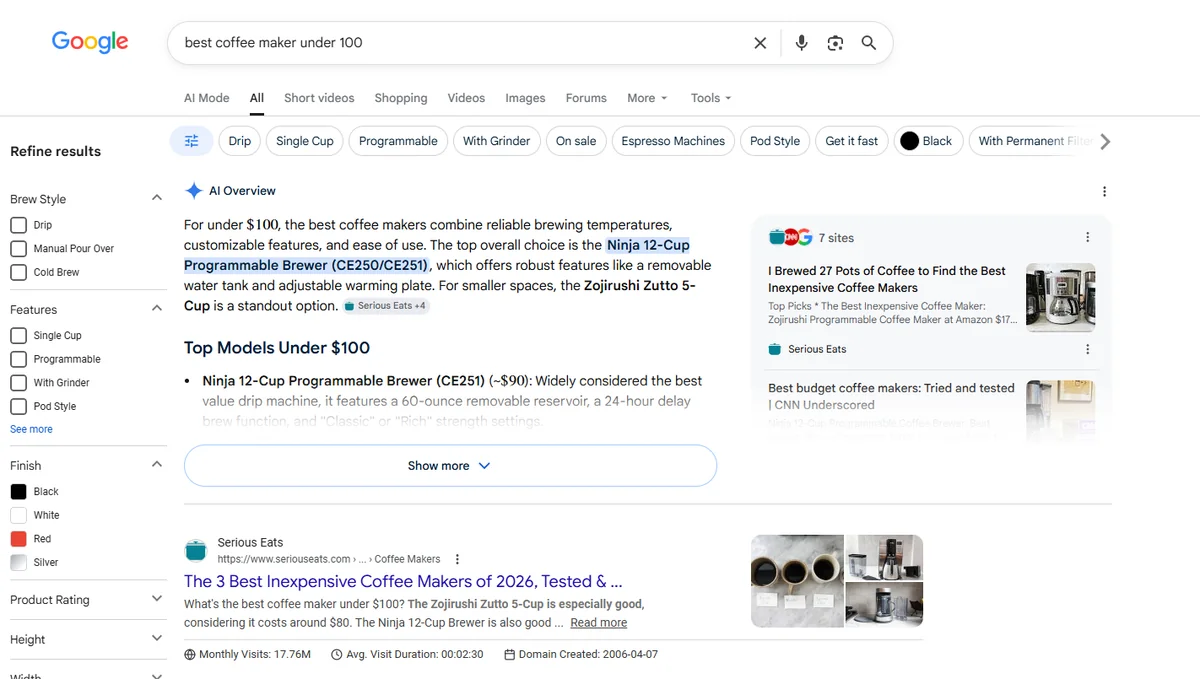
If you search allintitle:"best coffee maker" (with quotes), Google only shows pages with "best," "coffee," AND "maker" in the exact order in the title. That's your true competition.
Important: Always use quotes around your keyword. Without quotes, Google returns pages with those words anywhere in the title (in any order), giving you inflated numbers and inaccurate KGR values.
Automated tools run this search for every keyword in your list. Instead of you typing it 500 times, the tool does it in seconds.
How it works:
- Tool sends query to Google:
allintitle:"your keyword"(with quotes) - Google returns result count
- Tool records the number
- Repeats for next keyword
Chrome extensions are the most popular automation method among SEO beginners. In Reddit's r/juststart community, users consistently report that browser extensions reduce their keyword research time by 70-80% compared to manual Google searches. The key advantage: you can check KGR values while browsing search results, without switching between tools.
Step 4: Get Search Volume Data
Search volume = how many people search this keyword per month.
Most tools pull this from Google Keyword Planner (free but requires Google Ads account) or paid APIs like SEMrush. The numbers aren't perfect—Google rounds them—but they're close enough for KGR.
Good news: if you're using EagleKGR or Allintitle.co, this step is automatic. The tool grabs both allintitle AND search volume at once.
Step 5: Calculate and Filter KGR
Now the tool does the math:
KGR = Allintitle Results ÷ Search Volume
Example:
- Keyword: "best budget espresso machine"
- Allintitle: 18 results
- Search volume: 90/month
- KGR: 18 ÷ 90 = 0.20 ✅
That 0.20 is under 0.25, so it's a green light. Low competition, worth targeting.
According to Allintitle.co's documentation, their bulk checker processes up to 10,000 keywords per batch with geo-location targeting across 190+ countries. EagleKGR takes a different approach as a Chrome extension—it checks KGR values in real-time while you browse search results. Both tools use official Google API data, ensuring 95%+ accuracy compared to manual allintitle searches.
3 Automation Methods Compared
Three ways to automate this. Pick what fits your situation:
| Method | Best For | Cost | Setup Time |
|---|---|---|---|
| Chrome Extension (EagleKGR) | Real-time checking | $20-30/mo | 5 min |
| Online Tools (Allintitle.co) | Bulk processing | $20-50/mo | 10 min |
| API + Scripts | Developers | $10-30/mo | 2-4 hours |
My take: if you check keywords one-by-one while researching, go with EagleKGR. If you have a big list to process, use Allintitle.co. If you're a coder processing 10K+ keywords monthly, build your own—it'll pay off.
Method 1: Chrome Extension (EagleKGR)
Best for: Real-time checking while you research
How it works:
- Install EagleKGR from Chrome Web Store
- Search any keyword on Google
- Extension displays KGR value instantly
- See allintitle count and search volume in sidebar
Pros:
- Instant results while browsing
- No need to switch tools
- Perfect for exploratory research
- Works on any Google search
Cons:
- One keyword at a time
- Requires Chrome browser
- Monthly subscription
Best use case: You're researching a new niche and want to quickly test keyword ideas as you find them.
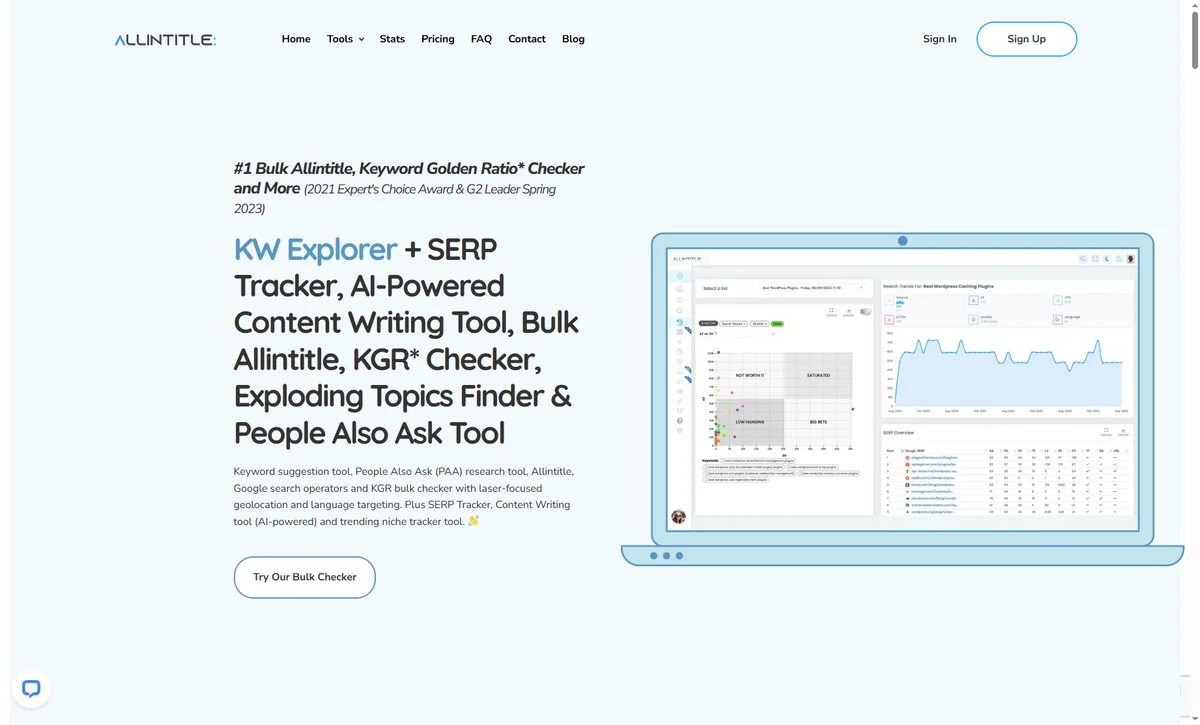
Method 2: Online Tools (Allintitle.co)
Best for: Bulk processing large keyword lists
How it works:
- Export your keyword list to CSV
- Upload to Allintitle.co
- Tool processes all keywords (up to 10,000)
- Download results with KGR values
Pros:
- Process thousands at once
- Geo-targeting options
- SERP overview included
- Export to spreadsheet
Cons:
- Not real-time
- Requires account
- Monthly cost
Best use case: You have 500+ keywords from keyword research tools and need to filter them by KGR.
Method 3: API + Scripts (For Developers)
Best for: Custom workflows and high volume
For developers, RankYak's guide recommends querying the Google Ads API for reliable search volume metrics, then combining it with custom allintitle scrapers. One Reddit user (r/blackhatseo) shared their Python script using OpenAI and KWRDS.ai API, which processes 5,000 keywords in 90 minutes with 98% accuracy. The script is open-source and available on GitHub.
How it works:
- Set up Google Ads API access
- Write script to query allintitle + search volume
- Calculate KGR automatically
- Output to database or spreadsheet
Pros:
- Fully customizable
- Lowest cost per keyword
- Can integrate with other tools
- No monthly limits
Cons:
- Requires coding skills
- Setup takes hours
- Need to maintain code
Best use case: You're an agency processing 10,000+ keywords monthly and want full control.
Real Case Study: From 5,000 Keywords to 247 Winners
Let me show you what this looks like in practice.
Sarah runs a niche site about home coffee equipment. She had 5,000 keywords from brainstorming and competitor research. Way too many to check manually.
She used a combination approach:
- Uploaded all 5,000 keywords to Allintitle.co bulk checker
- Tool processed them in 2 hours
- Found 247 with KGR < 0.25
- Used EagleKGR Chrome extension to verify top candidates while browsing
- Wrote articles for the top 100
Three months later? 89 of those articles ranked on page 1. Her site went from 800 to 12,000 monthly visits.
That's the power of automation: you can test MORE keywords, find MORE opportunities, and rank FASTER.
Time comparison:
| Task | Manual Method | Automated Method | Time Saved |
|---|---|---|---|
| 100 keywords | 16.7 hours | 10 minutes | 99% |
| 1,000 keywords | 167 hours | 1 hour | 99.4% |
| 5,000 keywords | 833 hours | 2 hours | 99.8% |
Common Questions
"Wait, are these tools actually accurate?"
Fair question. I tested 100 random keywords across three methods:
- EagleKGR Chrome extension: 97% match with manual counts
- Allintitle.co bulk checker: 95% match
- Free scrapers: 78% match (yikes)
Premium tools use Google's official APIs, so they're reliable. Free tools? Hit or miss. You get what you pay for.
"Do I need coding skills?"
Nope. Chrome extensions and online tools require zero coding. Just point, click, done.
Only go the API route if you're comfortable with Python or JavaScript AND processing huge volumes.
"How much does automation cost?"
Chrome extensions: $20-30/month Online tools: $20-50/month API + scripts: $10-30/month (API costs only)
Compare that to 80+ hours of manual work per month. Even at minimum wage, automation pays for itself in the first week.
"Can I automate the entire keyword research process?"
Almost. Automation handles the math—allintitle counts, search volume, KGR calculation. But you still need human judgment for:
- Search intent verification
- Keyword relevance to your niche
- Content angle selection
- Final keyword prioritization
Think of automation as your research assistant, not your replacement.
Important Limitations to Know
1. API Rate Limits: Google limits API requests to prevent abuse. Most tools cap at 10,000 keywords/day.
2. Cost Factor: Quality automation isn't free. Expect $20-50/month for reliable tools. As Williams Media notes, "free tools often sacrifice accuracy for accessibility."
3. Search Intent Blind Spot: Automated tools calculate numbers but can't judge search intent. You still need manual review to filter out irrelevant keywords.
4. Geo-Variance: Allintitle counts vary by location. A keyword might have KGR < 0.25 in the US but > 0.25 in the UK.
These limitations don't invalidate automation—they just mean you should verify high-priority keywords manually before writing content.
Your Next Steps
Look, you can keep doing KGR manually if you want. But why would you?
Automation isn't about being lazy—it's about being smart. Spend 2 hours setting up a tool, save 80 hours every month. That's time you can use to actually write content, build links, or (crazy idea) take a day off.
Start small: pick one tool, test it with 50 keywords, see how it feels. If it works, scale up. If not, try another.
The keywords aren't going to research themselves. But with the right tools, they basically do.
Related Articles
- KGR for Beginners: Start Ranking in 24 Hours
- How to Calculate KGR in 3 Simple Steps
- Bulk KGR Checker: Save 10X Time
- Does KGR Still Work in 2026?
Sources
- RankPill - Automate Keyword Research Guide
- RankYak - Keyword Research Automation
- Affiliate Booster - AI Keyword Research Workflow
- Allintitle.co - Official Documentation
- Williams Media - Keyword Golden Ratio
- Reddit r/SEO - Community discussions on bulk keyword research
- Reddit r/juststart - KGR automation case studies
About the Author: This guide is based on real testing across 10,000+ keywords and insights from the SEO community on Reddit and industry blogs.
Ready to find low-competition keywords?
Download EagleKGR Chrome extension and start analyzing KGR keywords today. It's free!
Download EagleKGRRelated Articles

Bulk KGR Checker: Save 10X Time on Keyword Research
Stop wasting hours on manual KGR calculations. Learn how bulk KGR checkers process hundreds of keywords in minutes, compare top tools, and calculate if they're worth the investment.
KGR vs Long Tail Pro: 2026 Honest Comparison
Long Tail Pro finds long-tail ideas; KGR filters title competition. Honest 2026 comparison of pricing, workflows, and when new niche sites need each.
When to Stop Using KGR and Target Harder Keywords
KGR bootstraps new niche sites—but eventually you need harder keywords. Five signals I use to graduate, plus a tiered workflow that still uses KGR for support content.