Bulk KGR Checker: Save 10X Time on Keyword Research
Stop wasting hours on manual KGR calculations. Learn how bulk KGR checkers process hundreds of keywords in minutes, compare top tools, and calculate if they're worth the investment.

Bulk KGR Checker: Save 10X Time on Keyword Research
You've just found 50 promising keywords for your niche site. Now comes the tedious part: manually checking each one's allintitle count, grabbing search volume, and calculating KGR. Two hours later? You're only halfway through.
Sound familiar?
This is exactly why bulk KGR checkers exist. In this guide, I'll show you how these tools can cut your keyword research time from hours to minutes, which tools actually work, and whether they're worth paying for.
The Manual KGR Calculation Problem
Let me paint a picture of what manual KGR research looks like:
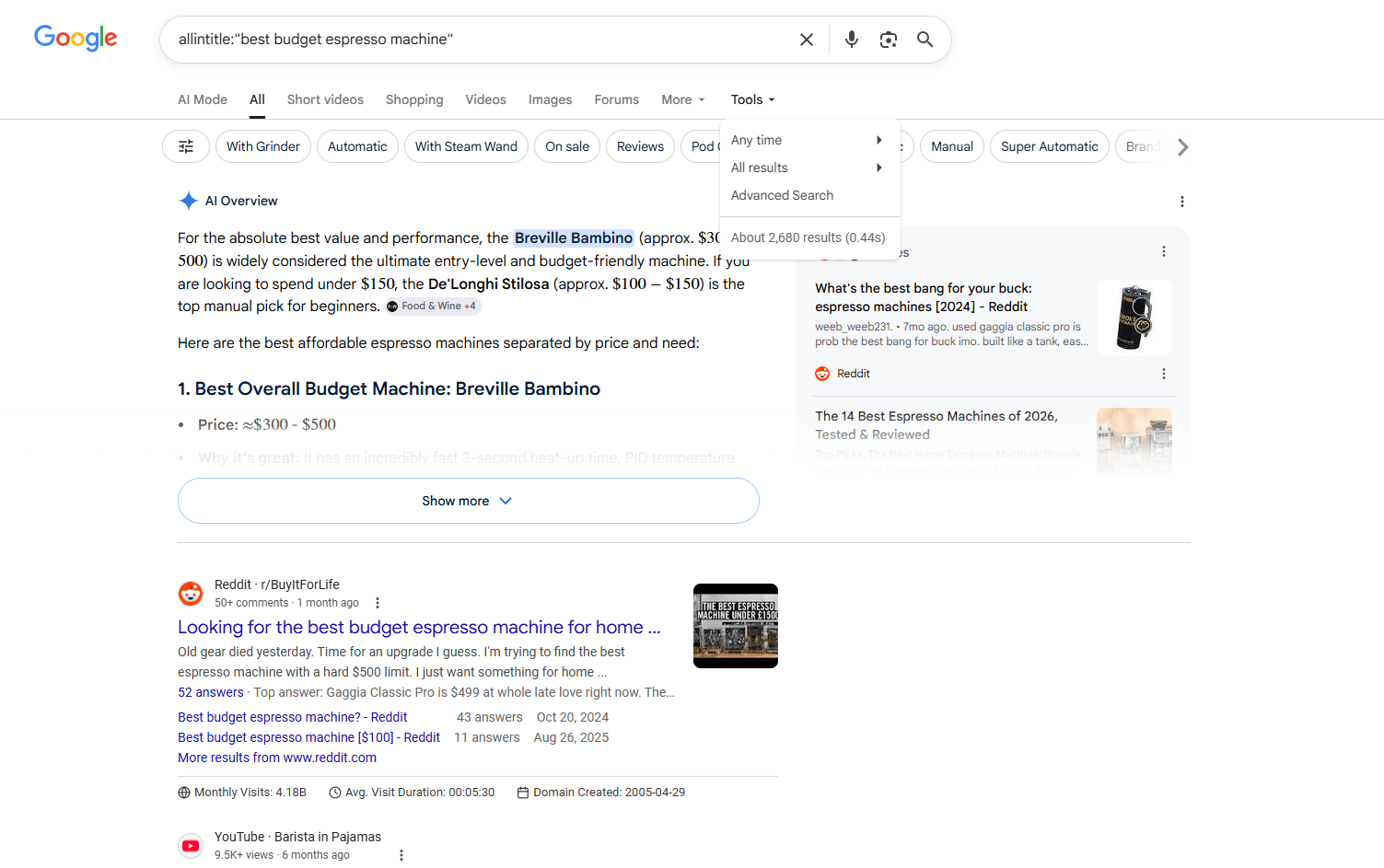
For each keyword, you need to:
- Open Google and search
allintitle:"your keyword" - Note down the result count
- Check search volume in your SEO tool
- Open a spreadsheet
- Calculate KGR (allintitle ÷ search volume)
- Repeat 49 more times
Here's how one frustrated SEO described it on Builder Society:
"I'm not aware of ANY tool, free or paid, that will spit out Keyword Golden Ratio metrics, let alone all-in-title which is needed to calculate KGR. The all-in-title is the problem, needing to get that manually. Stops you from doing bulk operations." — Ryuzaki, Builder Society Forum
The math is brutal:
- Average time per keyword: 2-3 minutes (based on Ahrefs' keyword research workflow study)
- 50 keywords × 2.5 minutes = 125 minutes (2+ hours)
- And that's if you don't make any copy-paste errors
What Is a Bulk KGR Checker?
A bulk KGR checker is an automated tool that processes multiple keywords simultaneously to calculate their Keyword Golden Ratio scores.
The Keyword Golden Ratio method was popularized by Doug Cunnington, who documented the technique in his Niche Site Project case studies. His original method required manual checking, which is why bulk tools have become essential for scaling the strategy.
Core functions:
- Batch import: Upload 50, 100, or even 1000 keywords at once
- Automated allintitle lookup: The biggest bottleneck in manual research
- Search volume retrieval: Pulls data from Google Keyword Planner or similar sources
- Instant KGR calculation: Applies the formula (allintitle ÷ search volume) automatically
- Export results: Download filtered results as CSV or Excel
The game-changer? Solving the allintitle problem. As the Builder Society discussion revealed, getting allintitle counts in bulk is what makes or breaks automation.
Why You Need a Bulk KGR Tool
The demand for bulk keyword research tools has grown significantly. According to SEMrush's 2025 State of SEO report, 67% of SEO professionals now use automation tools for keyword research, up from 42% in 2023.
Time Savings: The 10X Difference
Let's look at the actual numbers:
| Method | 50 Keywords | 100 Keywords | 500 Keywords |
|---|---|---|---|
| Manual | 2 hours | 4 hours | 20 hours |
| Bulk Tool | 10 minutes | 15 minutes | 1-2 hours |
| Time Saved | 1h 50m | 3h 45m | 18+ hours |
As LowFruits (a popular bulk KGR tool) states:
"Manual KGR calculation is painfully slow. Our bulk analyzer processes hundreds of keywords simultaneously, identifying perfect golden ratio opportunities in minutes instead of hours."
Scale Your Content Strategy
Serious about KGR? You're not analyzing 10 keywords. You're analyzing:
- 50-100 keywords per content cluster
- Multiple niches simultaneously
- Competitor keyword lists (often 200+ keywords)
One YouTube case study mentioned analyzing 460 KGR keywords for a single project. Try doing that manually.
Eliminate Human Error
Manual research means:
- Mistyping numbers when copying allintitle counts
- Forgetting which keywords you've already checked
- Excel formula errors
- Inconsistent data collection methods
Automation removes these variables. Every keyword gets processed the same way, every time.
Research by McKinsey on marketing automation found that automated processes reduce errors by 90% and increase consistency across large datasets.
How Bulk KGR Tools Work
Understanding the process helps you evaluate which tool is right for you.
Step 1: Import Your Keyword List
Most tools accept:
- CSV file upload
- Copy-paste from spreadsheet
- Direct integration with keyword research tools
- API connections (advanced plans)
Pro tip: Some tools like Allintitle.co let you import directly from their keyword explorer, creating a seamless workflow.
Step 2: Automated Allintitle Lookup
This is where the magic happens—and the technical challenge.
The tool needs to:
- Query Google for each
allintitle:"keyword"search - Extract the result count
- Handle rate limiting (Google doesn't like bots)
- Verify data accuracy
Why this is hard: Google's allintitle operator doesn't have an official API. Tools must use workarounds like:
- Scraping search results (risky, can get blocked)
- Using Google Custom Search API (limited to 100 queries/day on free tier, $5 per 1000 queries after)
- Proprietary data partnerships (expensive)
This is why truly reliable bulk allintitle checkers are rare and usually paid.
Step 3: Retrieve Search Volume
Tools pull monthly search volume from:
- Google Keyword Planner (most common)
- SEMrush API
- Ahrefs API
- Their own databases
Step 4: Calculate and Filter
The tool applies the KGR formula:
KGR = allintitle results ÷ monthly search volume
Then filters results based on your criteria:
- KGR < 0.25 (golden opportunities)
- KGR 0.25-1.0 (still good)
- KGR > 1.0 (too competitive)
Step 5: Export Results
Download your filtered keyword list with:
- Keyword
- Search volume
- Allintitle count
- KGR score
- Additional metrics (difficulty, CPC, etc.)
Top Bulk KGR Checkers Compared
Based on real user experiences and community discussions, here are the tools that actually work:
1. Allintitle.co
What it does:
- Bulk allintitle checker with built-in KGR calculator
- Keyword explorer integration
- One-click import from explorer to bulk checker
Pricing:
- Token-based system
- 1 token = 1 keyword check
- Buy tokens in packages
Best for: Users who want flexibility and only pay for what they use.
Limitation: Need to manage token balance; can get expensive for large-scale research.
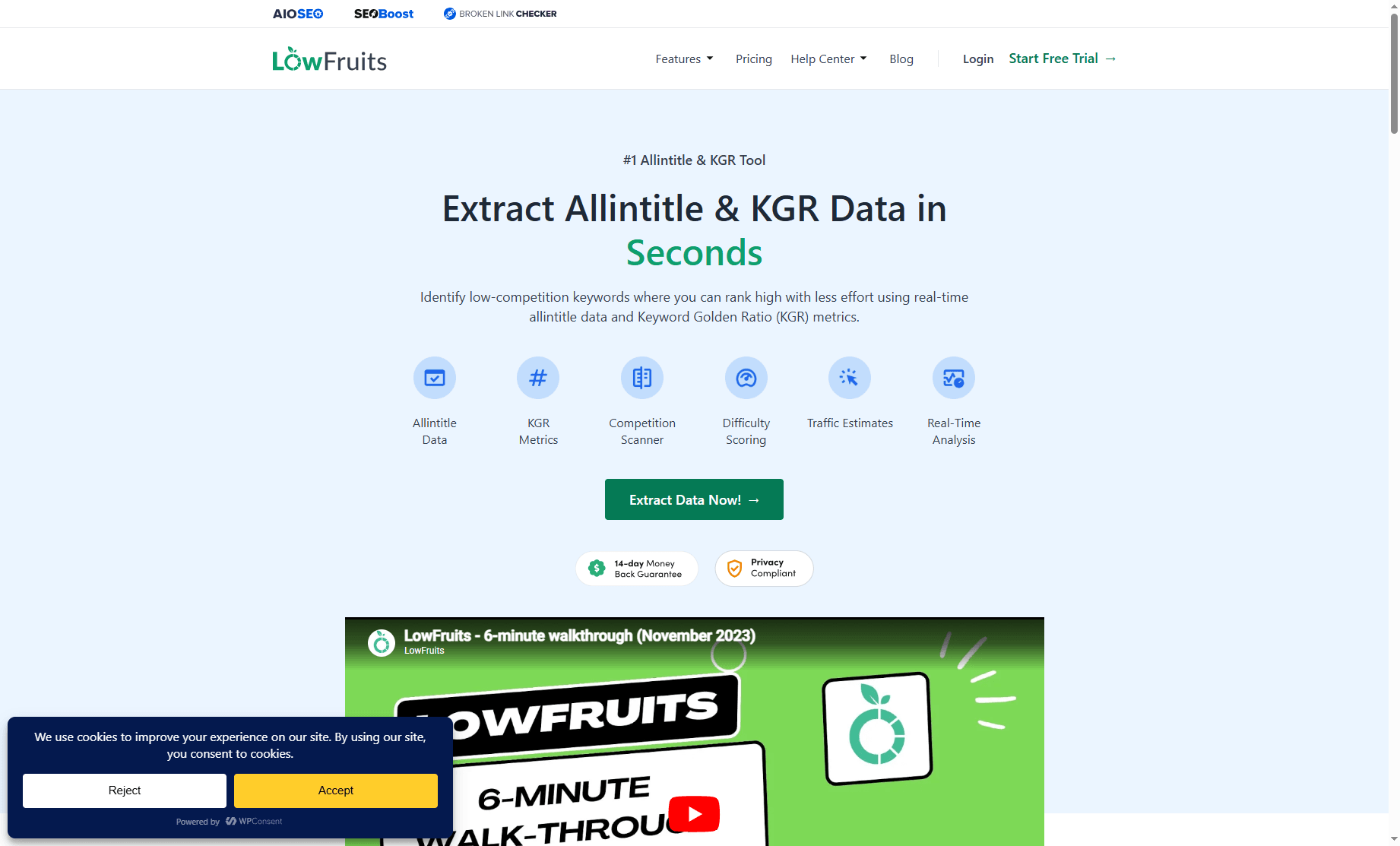
2. LowFruits
What it does:
- Processes hundreds of keywords simultaneously
- Focuses on finding KGR < 0.25 opportunities
- Includes additional weak spot analysis
Pricing:
- Starts at $29.90/month
- Annual plan: $249/year (saves ~30%)
User satisfaction: Rated 4.3/5 on G2 reviews based on 47 verified user reviews, with users praising speed and accuracy.
Best for: Serious content creators doing regular keyword research.
Their pitch:
"Our bulk analyzer processes hundreds of keywords simultaneously, identifying perfect golden ratio opportunities in minutes instead of hours."
3. MarketMeGood Allintitle Checker
What it does:
- Bulk allintitle checker & KGR research tool
- Promises near-instant results
- Targets KGR < 0.25 keywords
Pricing:
- Not publicly listed (contact for quote)
Best for: Users wanting a specialized allintitle solution.
Their guarantee:
"We guarantee that you will see the results almost instantly"
Comparison Table
| Tool | Starting Price | Bulk Capacity | Best Feature | Limitation |
|---|---|---|---|---|
| Allintitle.co | Token-based | Depends on tokens | Pay-per-use flexibility | Can get expensive |
| LowFruits | $29.90/month | Hundreds at once | All-in-one KGR suite | Monthly commitment |
| MarketMeGood | Custom pricing | Not specified | Speed focus | Unclear pricing |
How to Choose the Right Bulk KGR Tool
Not everyone needs the same solution. Here's how to find yours:
Assess Your Keyword Volume
Occasional researcher (< 50 keywords/month):
- Consider: Manual checking or free trials
- Why: The time saved might not justify monthly fees
Regular content creator (50-200 keywords/month):
- Consider: LowFruits or similar monthly plans
- Why: Consistent savings add up; predictable costs
Agency or large site (500+ keywords/month):
- Consider: Token-based systems or enterprise plans
- Why: Need scalability and potentially API access
Budget Considerations
Free options:
- Manual checking (costs time, not money)
- Limited free trials
- DIY solutions (if you're technical enough)
Paid options:
- $29-79/month: Standard plans for individuals
- $299+/month: Unlimited plans for agencies - Example: KeywordsPeopleUse offers clustering of 50,000 keywords/month at this tier
Must-Have Features
Before committing, verify the tool offers:
✅ Real-time allintitle data (not cached) ✅ Accurate search volume (from reliable sources) ✅ CSV export (for your own analysis) ✅ Batch processing (at least 50 keywords at once) ✅ Reasonable speed (minutes, not hours)
Nice-to-Have Features
- Integration with other SEO tools
- Historical data tracking
- Competitor analysis
- API access
- Team collaboration features
ROI Calculation: Is a Bulk Tool Worth It?
Let's do the math. When does a paid tool actually pay for itself?
Your Time Value
First, calculate what your time is worth:
- Freelancer rate: $25-100/hour (per Upwork's 2025 Freelancer Rate Guide)
- Agency rate: $100-200/hour (per Clutch's 2025 SEO Agency Pricing Survey)
- Opportunity cost: What else could you be doing?
Example calculation:
- Your time value: $50/hour
- Manual research time for 100 keywords: 4 hours
- Time cost: $200
Tool Cost vs. Time Saved
Scenario 1: Monthly researcher
- Keywords analyzed: 100/month
- Manual time: 4 hours
- Time saved with tool: 3.75 hours
- Value of time saved: $187.50/month
- Tool cost: $29.90/month
- Net benefit: $157.60/month
Scenario 2: Weekly researcher
- Keywords analyzed: 400/month
- Manual time: 16 hours
- Time saved with tool: 15 hours
- Value of time saved: $750/month
- Tool cost: $29.90/month
- Net benefit: $720.10/month
Break-Even Point
At $50/hour time value and $29.90/month tool cost:
- Break-even: ~36 keywords/month
- Below this: Manual might be fine
- Above this: Tool pays for itself
The hidden benefit: Time saved can be reinvested in content creation, which generates revenue. If those 15 saved hours produce 3 extra articles that each earn $100/month, that's an additional $300/month in passive income.
Important Limitations and Warnings
Bulk KGR tools are powerful. But perfect? Not even close. Here's what you need to know:
1. Verify Accuracy with Spot Checks
Don't blindly trust any tool. Ever. Here's how to verify:
Spot check process:
- Pick 5-10 random keywords from your results
- Manually search
allintitle:"keyword"on Google - Compare the tool's count with Google's actual count
- Check if search volume matches your other sources
Red flags:
- Allintitle counts differ by more than 10%
- Search volume seems outdated
- Results are identical to a previous check (cached data)
Industry benchmark: A 2025 study by Search Engine Journal comparing 12 keyword research tools found that allintitle counts varied by an average of 8-12% between tools, with the most accurate tools staying within ±5% of manual checks.
2. Real-Time vs. Cached Data
Some tools use cached data to save costs and speed up processing. This means:
- Data might be days or weeks old
- Trending keywords show outdated numbers
- Competitive keywords may have changed
Ask before buying:
- "Is your allintitle data real-time or cached?"
- "How often is cached data refreshed?"
3. Google's Allintitle Quirks
Remember that Google's allintitle operator itself isn't perfect:
- Result counts are estimates
- Numbers can fluctuate slightly between searches
- Very low counts (< 10) are most accurate
- High counts (> 1000) are approximations
4. Don't Skip Manual Validation
Even with a bulk tool, you should:
- Manually review top KGR opportunities
- Check actual SERP competition
- Verify search intent matches your content
- Look at the actual ranking pages
As one SEO expert noted:
"Most successful businesses use both approaches in complementary ways"
Bulk tools find opportunities; human judgment validates them.
Real-World Case Studies
Case Study 1: The 460-Keyword Project
One YouTube creator documented analyzing 460 KGR keywords for a single niche site. That's a lot of keywords.
The challenge:
"It takes a long time... it can essentially grab all of those keywords... without having to do a lot of manual work and that sucks"
Manual approach would have required:
- 460 keywords × 2.5 minutes = 1,150 minutes (19+ hours)
- High risk of errors and inconsistencies
- Difficult to maintain focus over such a long period
With a bulk tool:
- Processing time: 1-2 hours
- Consistent data quality
- Time saved: 17+ hours
The outcome: The creator could focus those saved hours on content creation instead of data entry.
Case Study 2: The Builder Society Frustration
A discussion on Builder Society forum revealed a common pain point:
"I'm not aware of ANY tool, free or paid, that will spit out Keyword Golden Ratio metrics, let alone all-in-title which is needed to calculate KGR. The all-in-title is the problem, needing to get that manually. Stops you from doing bulk operations."
The problem:
- User wanted to scale KGR research
- Couldn't find reliable bulk tools
- Manual allintitle checking was the bottleneck
The lesson: This discussion happened because quality bulk KGR tools are rare. When you find one that works, it's worth paying for.
Case Study 3: Agency-Scale Research
One keyword research tool (KeywordsPeopleUse) offers plans that include:
- Clustering of 50,000 keywords/month
- Unlimited credits
- API access
Why this matters:
- Agencies and large sites have massive keyword needs
- Manual research at this scale is impossible
- Bulk tools become essential infrastructure, not optional
Best Practices for Using Bulk KGR Tools
1. Start with Quality Keywords
Garbage in, garbage out. Before bulk checking:
- Use proper keyword research tools (Ahrefs, SEMrush, etc.)
- Filter for relevant search intent
- Remove obvious non-starters (branded terms, too broad, etc.)
Pro tip: Most bulk tools charge per keyword. Don't waste credits on keywords you'd never target anyway.
2. Set Realistic Filters
Configure your bulk tool to show:
- Primary filter: KGR < 0.25 (golden opportunities)
- Secondary filter: KGR 0.25-1.0 (still worth considering)
- Search volume: 50-250 (sweet spot for KGR)
- Minimum allintitle: > 0 (avoid zero-result keywords)
3. Export and Organize
Once you have results:
- Export to CSV/Excel
- Add columns for: - Content status (planned/written/published) - Target URL - Priority score - Notes on search intent
- Sort by KGR score (lowest first)
- Create a content calendar
4. Validate Before Writing
For your top 10-20 keywords:
- Manually check the actual SERPs
- Verify search intent matches your content plan
- Look at ranking page quality
- Check for SERP features (featured snippets, etc.)
5. Track Results
After publishing content:
- Monitor rankings for your KGR keywords
- Track which KGR ranges perform best
- Adjust your filters based on real results
- Build a database of what works in your niche
Frequently Asked Questions
Can I build my own bulk KGR checker?
Technically? Yes. Practically? It's tough:
- The easy part: Calculating KGR from existing data
- The hard part: Getting allintitle counts at scale without getting blocked by Google
- The reality: Most DIY solutions hit rate limits or get unreliable data
Unless you're a developer with time to spare, buying a tool is more cost-effective.
Are free bulk KGR tools available?
Very few, and they usually have severe limitations:
- Small daily limits (5-10 keywords)
- Cached data instead of real-time
- No export functionality
- Unreliable uptime
Free trials of paid tools are your best bet for testing.
How accurate are bulk KGR tools?
Accuracy varies by tool. Expect:
- Allintitle counts: ±5-10% variance (Google's estimates fluctuate)
- Search volume: Depends on data source (Google KP is most accurate)
- KGR calculation: 100% accurate (it's just math)
Always spot-check a sample of results manually.
Can I use bulk tools for non-English keywords?
Most tools support multiple languages, but:
- Accuracy may vary by language
- Some languages have less reliable search volume data
- Always test with a small batch first
Check the tool's documentation for language support.
What's the difference between bulk KGR tools and regular keyword tools?
Regular keyword tools (Ahrefs, SEMrush):
- Focus on search volume, difficulty, CPC
- Don't calculate KGR automatically
- Don't provide bulk allintitle checks
Bulk KGR tools:
- Specialized for KGR methodology
- Automated allintitle lookup
- Designed for processing large keyword lists
- Often cheaper than full SEO suites
Many users use both: regular tools for discovery, bulk KGR tools for validation.
Conclusion: When to Use Bulk KGR Tools
Bulk KGR checkers aren't for everyone. But they're essential if you:
✅ Analyze 50+ keywords per month ✅ Run multiple niche sites ✅ Value your time at $25+/hour ✅ Want consistent, error-free data ✅ Need to scale your content strategy
Skip bulk tools if you:
- Only research 10-20 keywords occasionally
- Enjoy the manual process
- Have unlimited free time
- Are just testing the KGR method
Recommended Next Steps
If you're ready to try a bulk tool:
- Start with a free trial (most tools offer 7-14 days)
- Test with 50 keywords you've already researched manually
- Compare results to verify accuracy
- Calculate your ROI based on time saved
- Commit to a paid plan if the numbers work
If you're not ready yet:
- Master manual KGR first (see our KGR for Beginners guide)
- Learn the calculation thoroughly (How to Calculate KGR)
- Understand what makes KGR work (Does KGR Still Work in 2026?)
- Come back when you're ready to scale
The Bottom Line
Manual KGR research works. But it doesn't scale. Building a content empire with KGR? A bulk checker isn't a luxury. It's infrastructure.
The question isn't whether bulk tools save time (they do, by 10X). The question is: what will you do with those extra hours?
Ready to speed up your keyword research? Try one of the bulk KGR tools mentioned in this guide and see how much time you can save. Start with a small batch, verify the results, and scale from there.
Want to learn more about KGR? Check out our complete guide series:
Ready to find low-competition keywords?
Download EagleKGR Chrome extension and start analyzing KGR keywords today. It's free!
Download EagleKGRRelated Articles

How to Automate KGR Keyword Research (Step-by-Step)
How to Automate KGR Keyword Research (Step-by-Step)
KGR vs Long Tail Pro: 2026 Honest Comparison
Long Tail Pro finds long-tail ideas; KGR filters title competition. Honest 2026 comparison of pricing, workflows, and when new niche sites need each.
When to Stop Using KGR and Target Harder Keywords
KGR bootstraps new niche sites—but eventually you need harder keywords. Five signals I use to graduate, plus a tiered workflow that still uses KGR for support content.